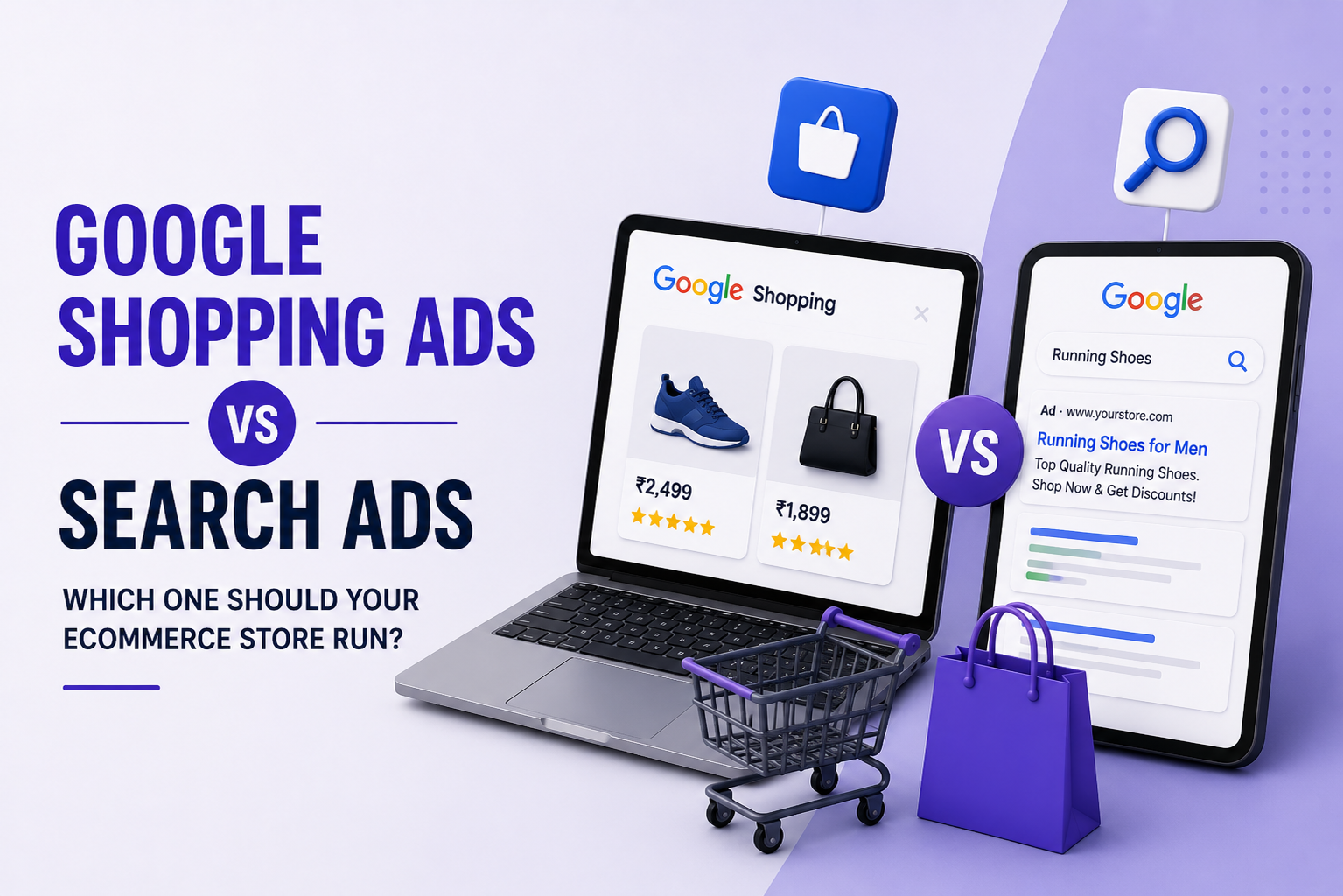
Google Shopping Ads vs Search Ads, Which One Should Your eCommerce Store Run?

If you run an eCommerce store and are allocating budget to Google Ads, one of the first decisions you will face is whether to run Shopping campaigns, Search campaigns, or both. They look similar on the surface — both appear in Google results — but they work very differently and suit different stages of the buying journey.


Google shopping Ads vs Search Ads

How Google Search Ads Work

Search Ads are text-based and triggered by specific keywords. When someone types "buy leather wallet online" and you are bidding on that phrase, your ad can appear at the top of results. You control the headline, description, and destination URL. Managed through PPC services, they are particularly effective for high-intent, specific queries where the buyer already knows what they want.

The advantage is control — you choose exactly which searches trigger your ads and what the ad says. The downside is cost. Competitive keywords in retail categories carry high CPCs, especially in fashion, beauty, and electronics.


How Google Shopping Ads Work

Shopping Ads — also called Product Listing Ads (PLAs) — pull directly from your product feed uploaded via Google Merchant Center and display your product image, name, price, and store name in a visual grid. There is no traditional keyword list. Google matches your product data to relevant searches. This is what Product Listing Ads management covers, and it is fundamentally different from keyword-based campaign management.

Shopping Ads typically show to higher-intent users because the searcher sees the product image and price before clicking. This reduces wasted clicks from people who are not serious buyers. The trade-off is less control over which queries trigger your ads — that is managed through product feed quality and negative keyword lists.


When to Prioritise Shopping Ads

Shopping Ads work best for stores with a clear product catalogue, competitive pricing, and quality product images. If someone searching "red running shoes men size 10" sees your shoe with an image, price, and brand name before clicking, the traffic that arrives is far more qualified. Shopping campaigns also tend to have lower CPC in many categories compared to equivalent Search campaigns.


When Search Ads Make More Sense

Search Ads are the right choice when targeting broader or research-stage queries — terms like "best running shoes for flat feet" rather than a specific product. They also work better for brand terms, service-adjacent queries, and categories where images do not naturally drive decisions.


Running Both Together

The most effective approach for most eCommerce brands is running both simultaneously. Shopping captures bottom-of-funnel buyers who know what they want. Search captures consideration-stage traffic and branded searches. The two feed different parts of the purchase journey — exactly how a well-structured performance marketing strategy is designed. You can also read about scaling your results through structured campaign architecture in the guide on scaling your business with performance marketing.

About eCom Conversion

eCom Conversion is a Noida-based performance marketing agency specialising in Google Ads and PPC management, Product Listing Ads, and full-funnel eCommerce marketing for D2C and online retail brands. If your Google campaigns are spending without returning, talk to the team — we audit first, then build.

Frequently Asked Questions

Yes. Shopping Ads are powered by a product feed submitted to Google Merchant Center. Without an approved feed, you cannot run Shopping campaigns. Feed quality — accurate titles, descriptions, and GTINs — directly affects performance.

Shopping Ads generally convert better for product-specific queries because users see the image and price before clicking. Search Ads can outperform for research queries. The better question is which converts better at each stage of your funnel.

Shopping Ads work with any eCommerce platform. What matters is a proper product feed. Most platforms — including WooCommerce, Magento, and custom stores — support Google Merchant Center integrations natively.

Performance Max (PMax) campaigns unify Shopping, Search, Display, YouTube, and Discovery into a single campaign. Google's algorithm allocates budget across all channels. It requires good conversion data and quality creative assets to optimise effectively.

There is no fixed minimum, but campaigns typically need at least 30 days and meaningful spend to gather enough data for optimisation. Starting with ₹500–₹1,000 per day per campaign is a reasonable testing range for most product categories.